Family & Education
School Photo, Video, and Data Consent in China: A Parent Guide
Help foreign families review school photo, video, app, directory, and student-data consent in China with clear questions and a practical records checklist.
Rules and procedures can change. Check the linked official sources before acting on time-sensitive information.
Quick answer
What you need to know
Separate essential school administration from optional publicity, ask where student information goes, and keep a dated record of every consent choice and later change.
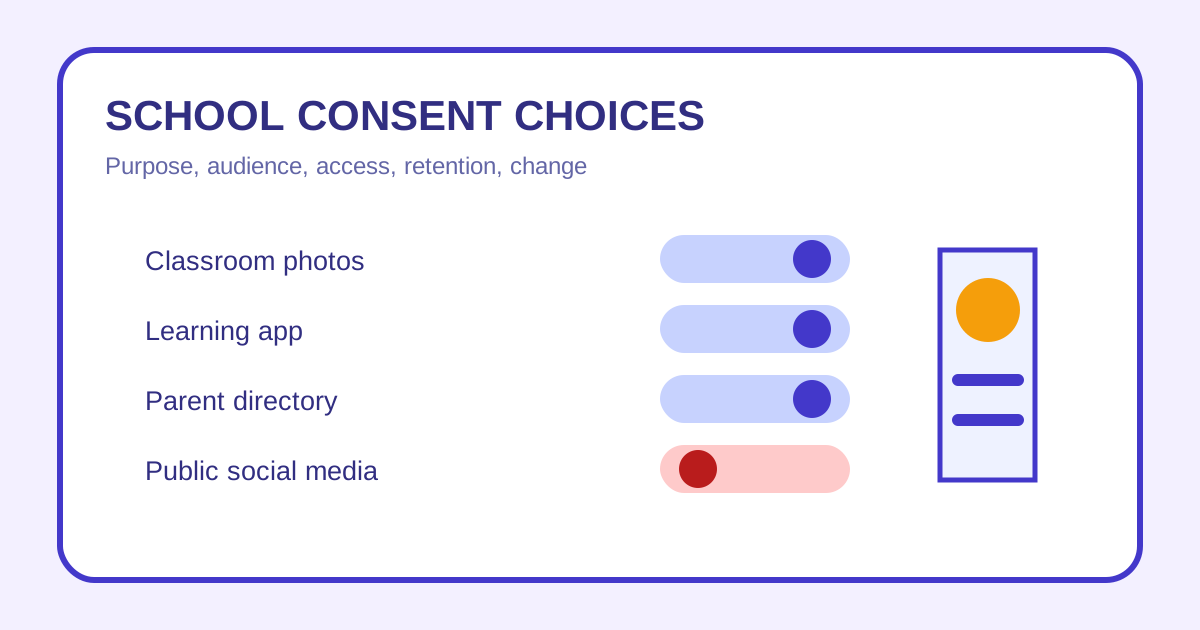
- List each use separately: administration, learning platforms, class groups, directories, events, internal displays, websites, and public social media.
- Ask what is collected, why it is needed, who receives it, where it is stored, how long it is kept, and how a choice can be changed.
- Avoid posting other children publicly or forwarding class-group material outside its intended audience without permission.
- Keep the exact notice and submitted choice, and contact the school's designated privacy or safeguarding lead about concerns.
Schools create photos, videos, learning records, contact lists, event streams, and app accounts for many different reasons. A class photo kept inside a parent portal is not the same exposure as a named video posted to a public social account. Families need to understand each audience and purpose.
This guide offers a practical conversation framework, not legal advice. Ask the school about its current policy and seek qualified advice for a serious privacy or safeguarding concern.
Map the uses and audiences
Ask the school to separate identity and contact records, learning platforms, classroom documentation, internal displays, yearbooks, parent directories, event photography, livestreams, school websites, recruitment materials, and public social media. Note whether a child’s name, class, location, uniform, voice, work, or health information appears with the image.
The school communication guide can help you identify the correct administrative, teacher, safeguarding, and technical contacts.
Ask seven practical questions
For each system or use, ask what is collected, why it is needed, whether it is required or optional, who can access it, whether an outside provider receives it, how long it is retained, and how a family can correct information or change a preference.
Also ask what happens when a student changes classes or leaves the school. Record the name and role of the person who answered rather than relying on a forwarded chat message.
Review apps and parent groups
Verify an app’s exact name, publisher, invitation method, permissions, and school support contact before installation. Use a unique password, enable available account protection, and avoid putting passport, medical, or custody documents into a general class group.
Parent groups can feel private while still allowing downloads, screenshots, and forwarding. Do not repost photos of other children, publish attendance or travel details, or add people whose identity is uncertain. The school devices and parent portals guide covers account access in more detail.
Record and update choices
Save the complete notice, version date, submitted form, selected options, confirmation, and any later change. If parents or guardians disagree, or custody arrangements limit who may consent or receive information, raise that privately with the school and provide only the documentation it legitimately requires.
When withdrawing or changing a choice, specify the student, use, audience, effective date, and material of concern. Ask what can be changed prospectively and what has already been printed, distributed, or published.
Respond to an unwanted disclosure
Preserve the URL, screenshot, date, audience, and relevant notice. Contact the school’s designated privacy, safeguarding, or leadership channel with a factual request. Avoid circulating the content further merely to prove it exists.
For official context, families can consult the Cyberspace Administration of China and obtain qualified advice about current data and privacy requirements.
Family consent checklist
- School uses separated by purpose and audience.
- Required and optional activities identified.
- Data fields, recipients, providers, storage, and retention discussed.
- App publisher and invitation verified.
- Publicity, directory, livestream, and social-media choices recorded.
- Exact notice and submitted consent saved.
- Other children’s images kept out of public posts without permission.
- Preference-change contact and process known.
- Unwanted disclosure documented without further sharing.
Revisit the choices at the start of each school year, after a platform change, and before major performances, trips, or publicity campaigns.
Frequently asked questions
Common questions
Is one school consent form likely to cover every use of my child's image?
Do not assume it does. Read the listed purposes and audiences, and ask the school to distinguish operational, classroom, directory, event, marketing, and public uses.
Can I change a previous consent choice?
Ask the school for its current withdrawal or preference-change process and when the change will affect future use. Previously distributed material may require separate discussion.
What should I do if another parent posts my child publicly?
Preserve the link or screenshot, avoid escalating in a group chat, and ask the parent and school through the appropriate channel to address the specific post.
Should I refuse every school app?
A blanket answer may not fit. Ask which functions are essential, what alternatives exist, what data the app processes, and how access is controlled before deciding.