Daily Life
Home Security Cameras and Smart Doorbells in China: A Resident Guide
Plan a home camera or smart doorbell in China with landlord and building approval, privacy-aware placement, secure accounts, storage choices, and move-out records.
Rules and procedures can change. Check the linked official sources before acting on time-sensitive information.
Quick answer
What you need to know
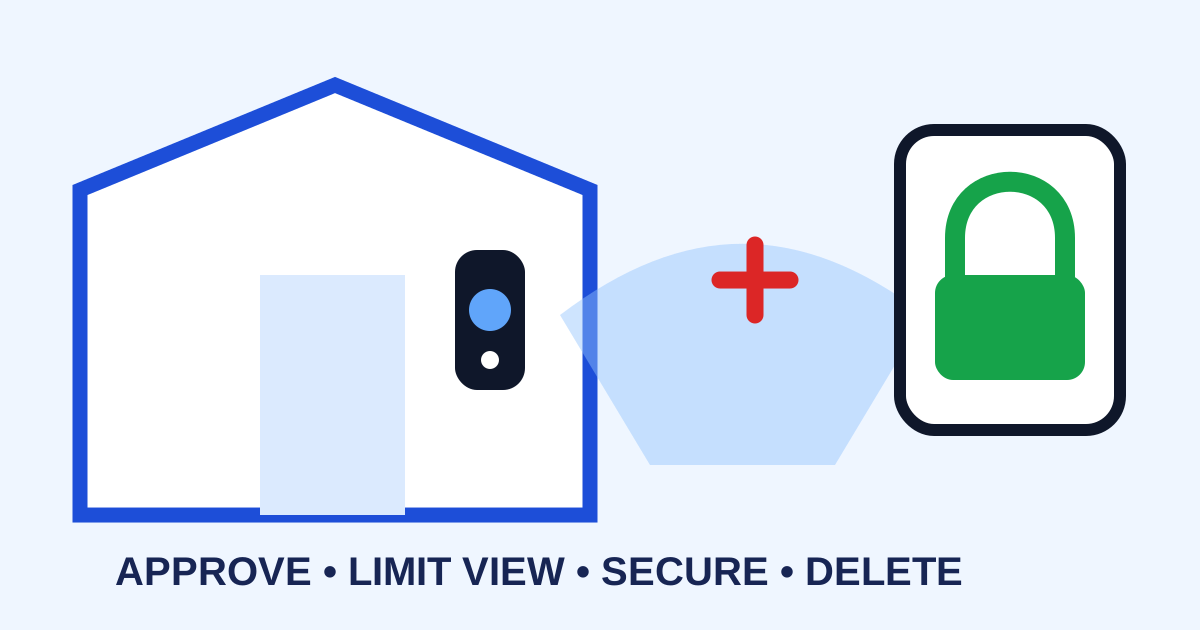
Define a narrow security purpose, obtain required approvals, avoid filming shared or private spaces unnecessarily, secure the account, and document installation and removal.
- Ask the landlord and property manager before drilling, wiring, or placing a device outside the apartment.
- Aim the camera only at the area genuinely needed and minimize capture of neighbors, corridors, doors, and audio.
- Use unique passwords, multi-factor authentication where available, trusted updates, and controlled sharing.
- Record storage location, retention, viewers, alerts, removal, and deletion before installation.
A camera can help verify a delivery or alert you to entry, but an apartment corridor is not a private studio. A poorly placed device may capture a neighbor’s door, visitors, staff, children, conversations, or shared facilities. Begin with a narrow purpose and the least intrusive setup that meets it.
Define the problem before choosing a device
Write down what you are trying to solve: unauthorized entry, an unattended delivery, a vulnerable family member’s arrival, or alerts while traveling. Consider whether a better lock, door sensor, peephole, building-access record, lighting, or delivery instruction could address the need with less recording.
If the concern is access control, start with the smart-lock guide and residential visitor-access guide. Report suspected crime or immediate danger through the appropriate local channel rather than relying on a device alone.
Get property approval in writing
Check the lease and building rules. Ask the landlord and property manager about drilling, door modification, power wiring, exterior fixtures, corridor devices, fire routes, building systems, restoration at move-out, and approval documentation. Do not attach a device to shared property or connect it to building wiring without authorization.
Photograph the door and wall before installation. Agree who pays for installation, connectivity, subscription, repairs, removal, and surface restoration. Use a qualified installer for electrical or building work.
Minimize what the camera captures
Position the device to cover only the necessary threshold or interior area. Avoid neighboring doors, windows, shared seating, lifts, stairs, bathrooms, bedrooms, and places where people reasonably expect privacy. Use privacy masks or activity zones if they work reliably.
Decide whether continuous recording is necessary or whether a local event alert is enough. Keep audio disabled unless there is a specific justified purpose and the relevant requirements have been checked. Notices or consent may be appropriate, but a sign does not automatically solve every privacy issue.
Privacy and surveillance rules can be fact-specific. China’s laws and official legal information are available through the National Laws and Regulations Database; ask property management or qualified counsel about a particular installation.
Secure the device and account
Change default credentials, use a unique password, enable multi-factor authentication where offered, update firmware from the official vendor, and place the device on an appropriately secured network. Review who has administrator access, shared household access, live view, download rights, microphone control, and reset authority.
Avoid public links and do not post footage in resident groups merely to identify or embarrass someone. The home internet guide covers basic router setup, while the scam and fraud guide helps verify unusual support messages.
Set a footage lifecycle
Document whether footage stays on a memory card, hub, phone, or cloud service; how long it remains; who can export it; what happens when the subscription ends; and how deletion works. Keep only what has a legitimate purpose and limit copies. If an incident occurs, preserve the original file, date, time-zone setting, and device details without editing the sole copy.
Test notifications without pointing the camera at others unnecessarily. Confirm operation after a power, Wi-Fi, phone, password, router, or time-zone change.
Close the system cleanly
When moving, remove the device and fixtures as agreed, restore the property, revoke every shared user, cancel subscriptions, delete unnecessary footage, remove Wi-Fi credentials, and factory-reset the device before sale, return, or disposal. Keep approval and restoration records with the rental handover file.
Camera and doorbell checklist
- Security purpose defined and less intrusive options considered.
- Lease, landlord, and property-management approval checked.
- Camera view avoids unnecessary shared and private areas.
- Audio, activity zones, notifications, and privacy masks reviewed.
- Unique password, multi-factor authentication, updates, and access list set.
- Storage, retention, export, deletion, and subscription documented.
- Incident evidence procedure preserves original context.
- Removal, surface repair, account revocation, and reset planned.
This article is general planning information, not legal advice. Building rules, lease obligations, privacy duties, and evidence requirements vary; confirm the current rules for your device, property, city, and circumstances.
Frequently asked questions
Common questions
Can I install a camera outside my apartment door in China?
Do not assume permission. Shared corridors and neighboring doors raise building, lease, property, and privacy issues. Ask the landlord and property manager in writing and obtain case-specific advice where needed.
Should I enable audio recording?
Audio can capture substantially more private information than necessary. Keep it off unless there is a justified purpose and you have confirmed the relevant consent, policy, and legal requirements.
Is cloud storage safer than a memory card?
Each has different account, access, loss, transfer, retention, and vendor risks. Review encryption, data location, subscription, deletion, export, and device-loss behavior before choosing.
What should I do when moving out?
Remove the device and approved fixtures, repair surfaces as agreed, revoke shared access, export only records you may legitimately keep, delete unnecessary footage, and reset the device before transfer or disposal.